Digital Shot List Creator
Visualise and plan every camera setup
Collaborate with your cinematographer to build detailed shot lists and storyboards. Track equipment, lenses, and camera movements to capture your vision perfectly.
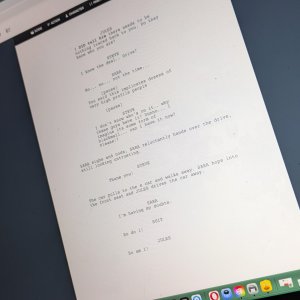
Translate your vision into a practical plan
Bridge the gap between the page and the camera. Build out specific camera movements, physical blocking, and lens choices so you and your cinematographer step on set with a clear, unified visual strategy.
Shot List Features
Plan your visual strategy perfectly with CinePlatform
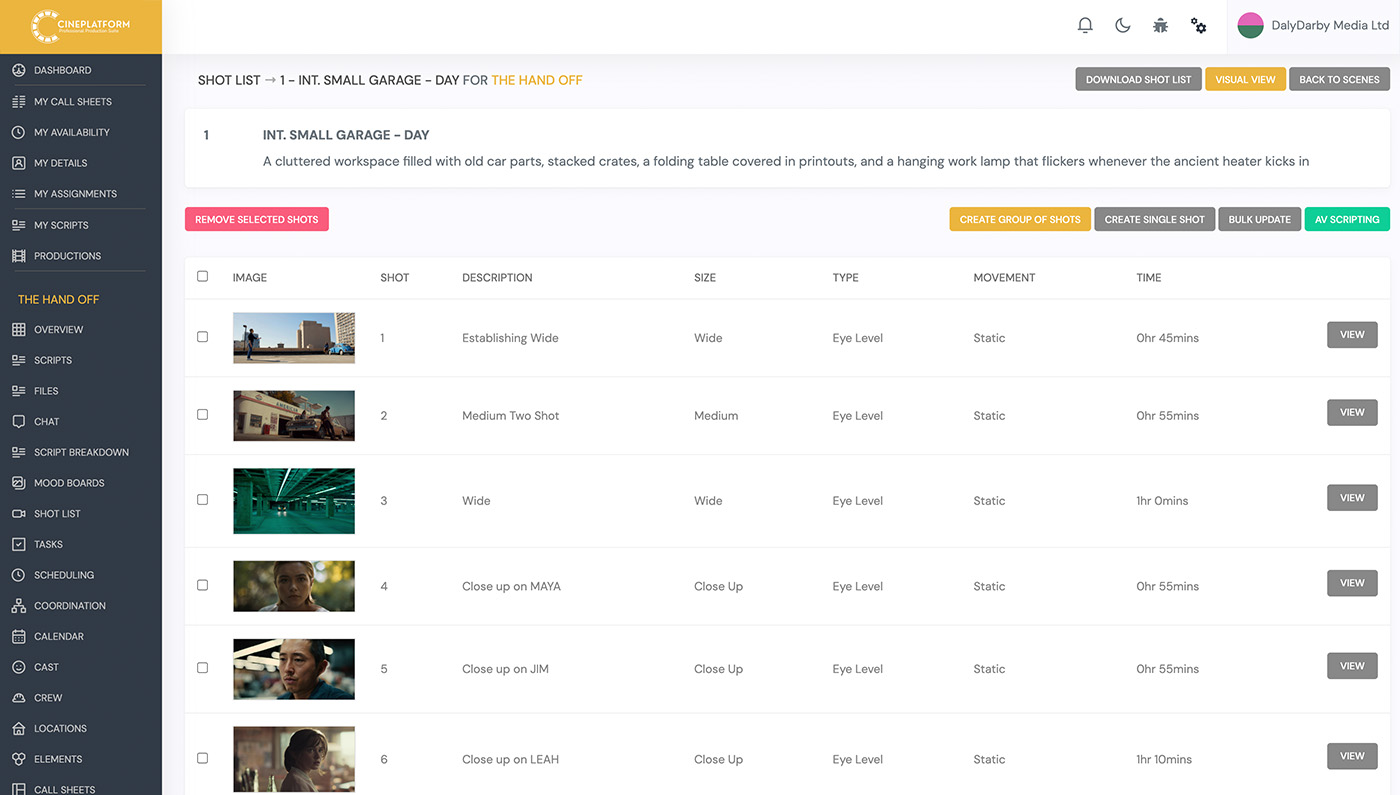
Visual Storyboard Integration
Upload reference photos and storyboard panels directly to your setups to instantly align the crew with the director's creative vision.
Smart Equipment Tracking
Assign specific lenses, frame rates, and camera rigs to each setup so your camera department can prep gear with total precision.
Dynamic Schedule Sync
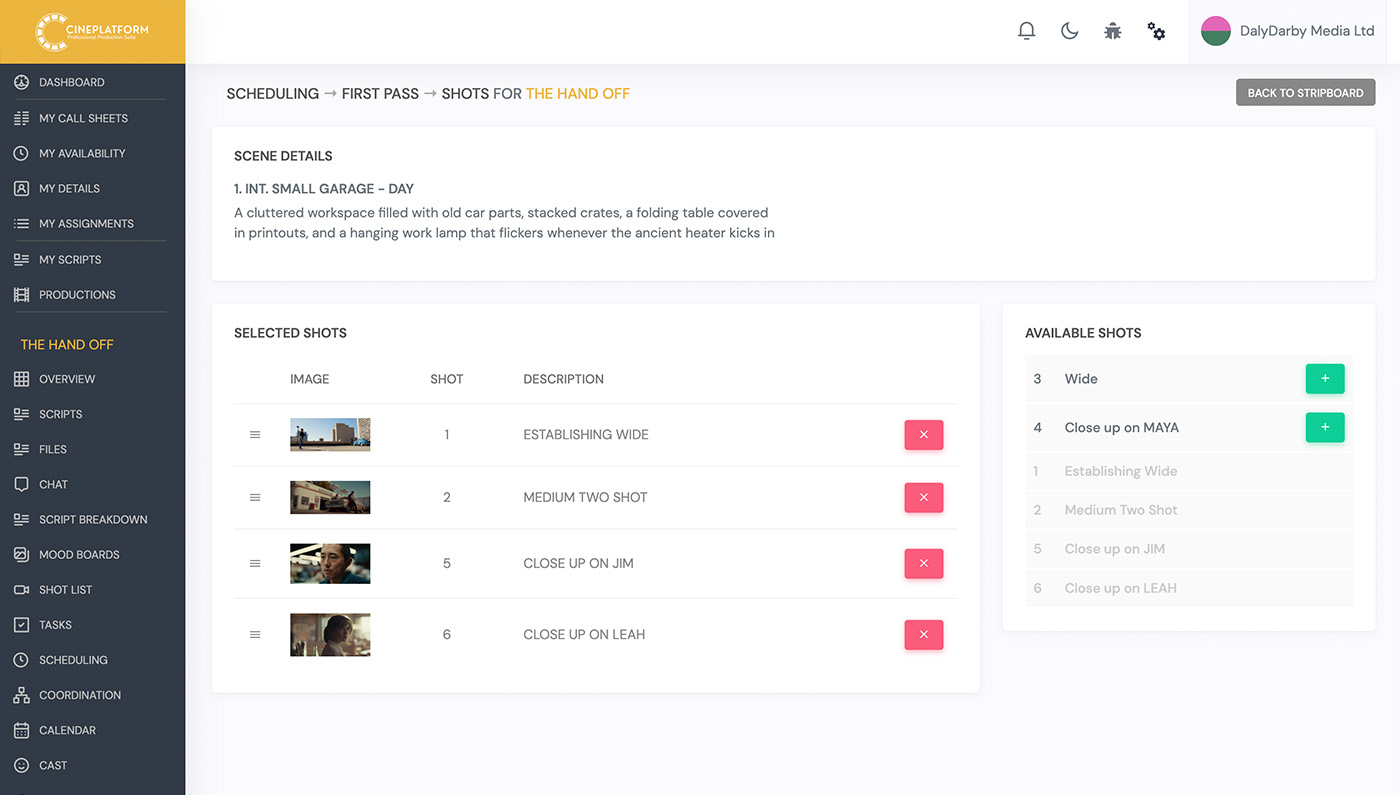
Automatically pull scenes from your stripboard directly into your shot list to ensure your coverage perfectly matches the active shooting schedule.
Advanced Setup Grouping
Maximise your time on set by sorting shots by camera angle, lens, or lighting setup to avoid unnecessary gear changes and slow relighting.
Real-Time Shot Tracking
Check off completed setups dynamically from your smartphone or tablet to monitor your daily progress and guarantee no coverage is missed.
Collaborative Director & DP Workspace
Empower your key creative team to build, refine, and comment on the shot list simultaneously in a secure, cloud-based environment.
Scene & Script Linking
Keep your creative context intact by automatically linking every planned shot directly to its corresponding scene heading and script text.
Instant PDF Exporting
Generate clean, industry-standard PDF shot lists with a single click to distribute easily to your entire camera and grip department.
Editor's Note Logging
Leave critical notes on specific takes and partial setups directly within the app to provide invaluable context for your post-production team.
Interactive Storyboard and Shot Visualisation
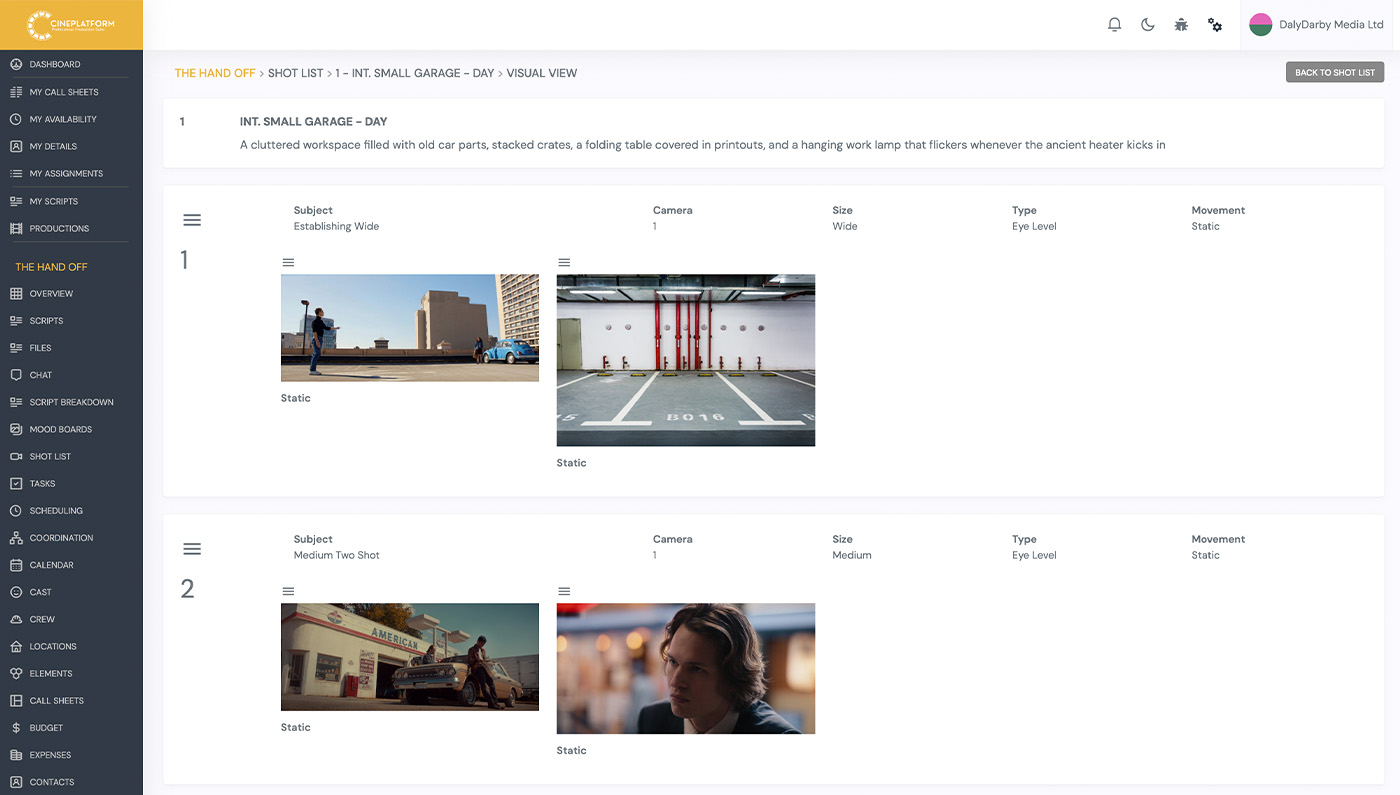
Bridge the gap between the director's vision and the camera department by linking your shot list directly to visual references. CinePlatform allows you to upload storyboard panels, location scouting photos, and overhead lighting diagrams directly to individual setups. You can organise each shot by size, angle, and camera movement, ensuring everyone from the Director of Photography to the grip team understands the exact visual goal before arriving on set.
This central visual hub eliminates the confusion of passing around paper storyboards and disjointed reference emails. When the whole crew can see the intended frame attached directly to the technical shot requirements, your setups become faster and far more precise.
Detailed Technical Camera and Gear Tracking
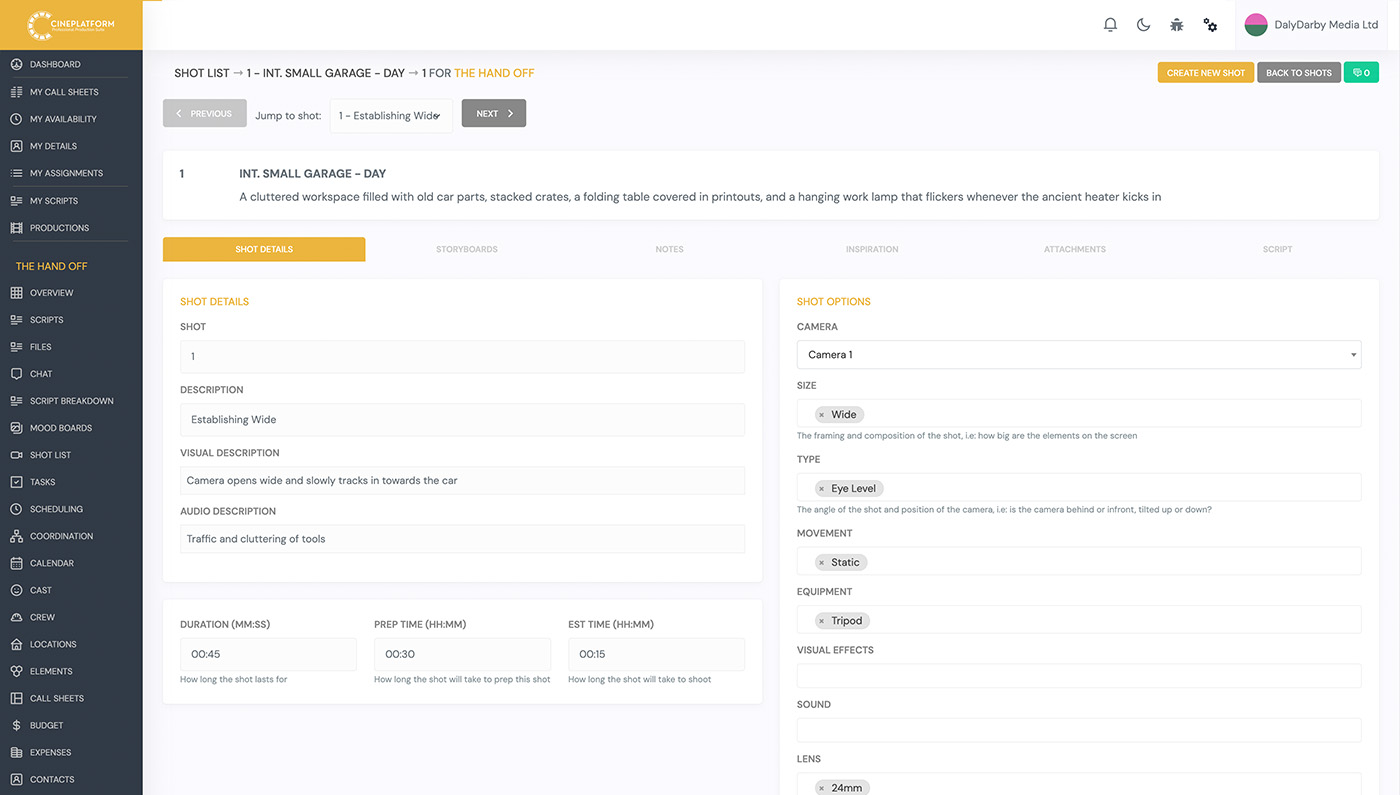
Empower your cinematography team by logging critical technical details for every single setup. Our shot list builder includes customisable data fields for focal lengths, specific camera bodies, intended frame rates, and specialised equipment like Steadicams, cranes, or track dollies. As you build your list, you can instantly group shots that share the same lens or equipment setup, allowing you to "shoot out" specific technical configurations without unnecessary gear changes.
By mapping out these technical requirements in advance, the camera and grip departments can prep their carts with precision. This proactive approach saves hours of downtime that is normally lost on set waiting for lens swaps and complex rig builds.
Smart Synchronisation with Your Schedule
Build your shot list faster by seamlessly pulling scene data directly from your locked script breakdown and active shooting schedule. CinePlatform automatically populates your shot list dashboard with your scheduled scenes, allowing the director to start planning coverage without manually re-typing scene headings, cast members, or locations. If the 1st AD moves a scene on the stripboard, your shot list dynamically reorganises itself to reflect the new shooting order.
This real-time synchronisation keeps the creative team perfectly aligned with the logistical realities of the production. The director always knows exactly which shots are on the docket for the day, preventing missed coverage and rushed setups.